

Smart Tagging

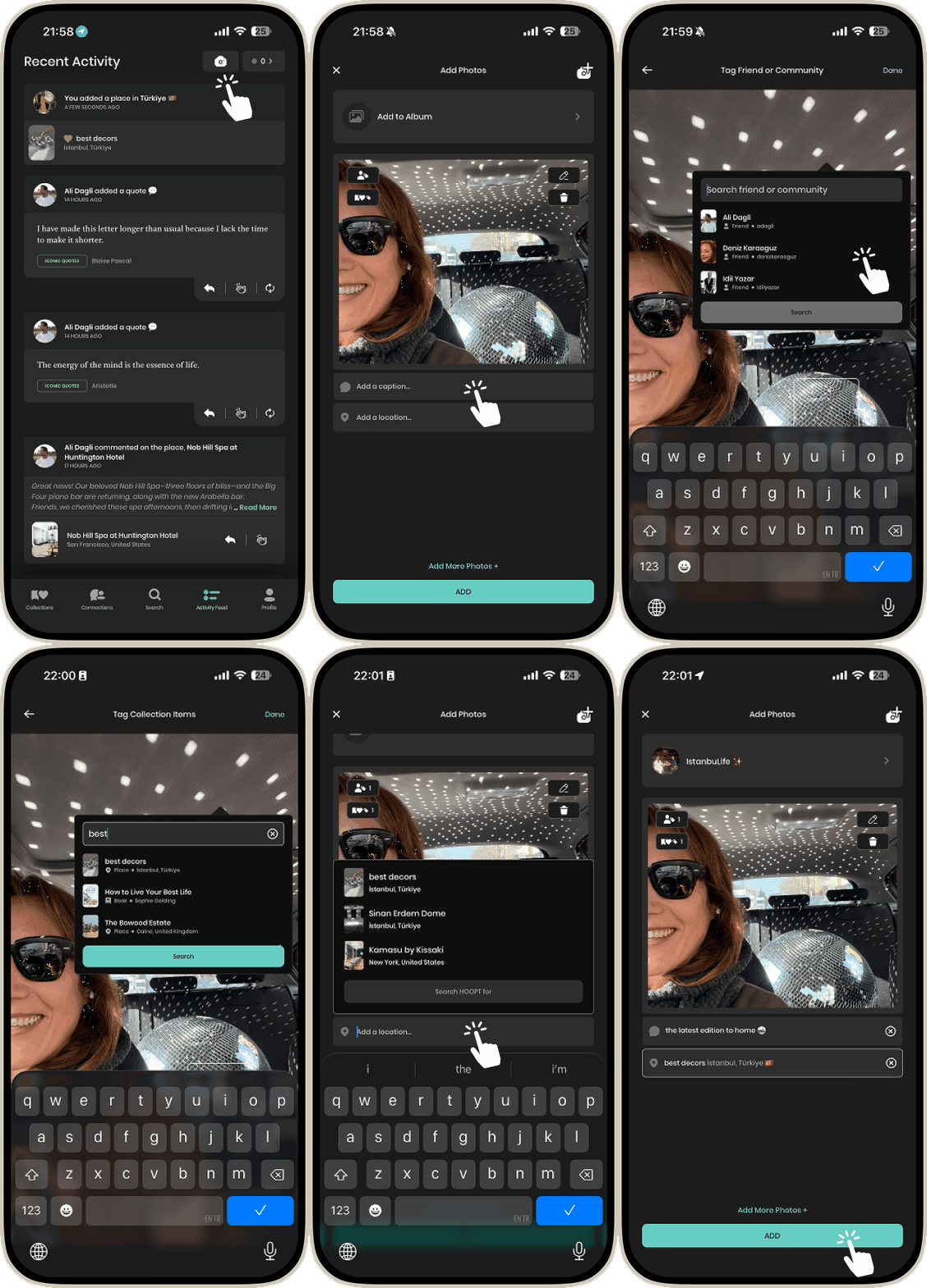
Keep your moments connected — not scattered across single photos. HOOPT understands that real experiences happen across multiple moments.
1
Go to the Activity Feed and click on the camera to add a photo.
2
Tag a place, person, or item. Add a tag just like you normally would. You can even tag a community.
3
Once you're done tagging all the parts, add your photo to an album and click Done.
4
You're all set! Now you can tag multiple entities all at once.
5
6
7
8
9
10

Cool Tip
0
Another Cool Tip
0
