

HOOPT Circles

Sometimes typing just doesn’t cut it — that’s where HOOPT Circles come in. These are your low-pressure, high-vibe voice rooms for real-time connection with your people.
1
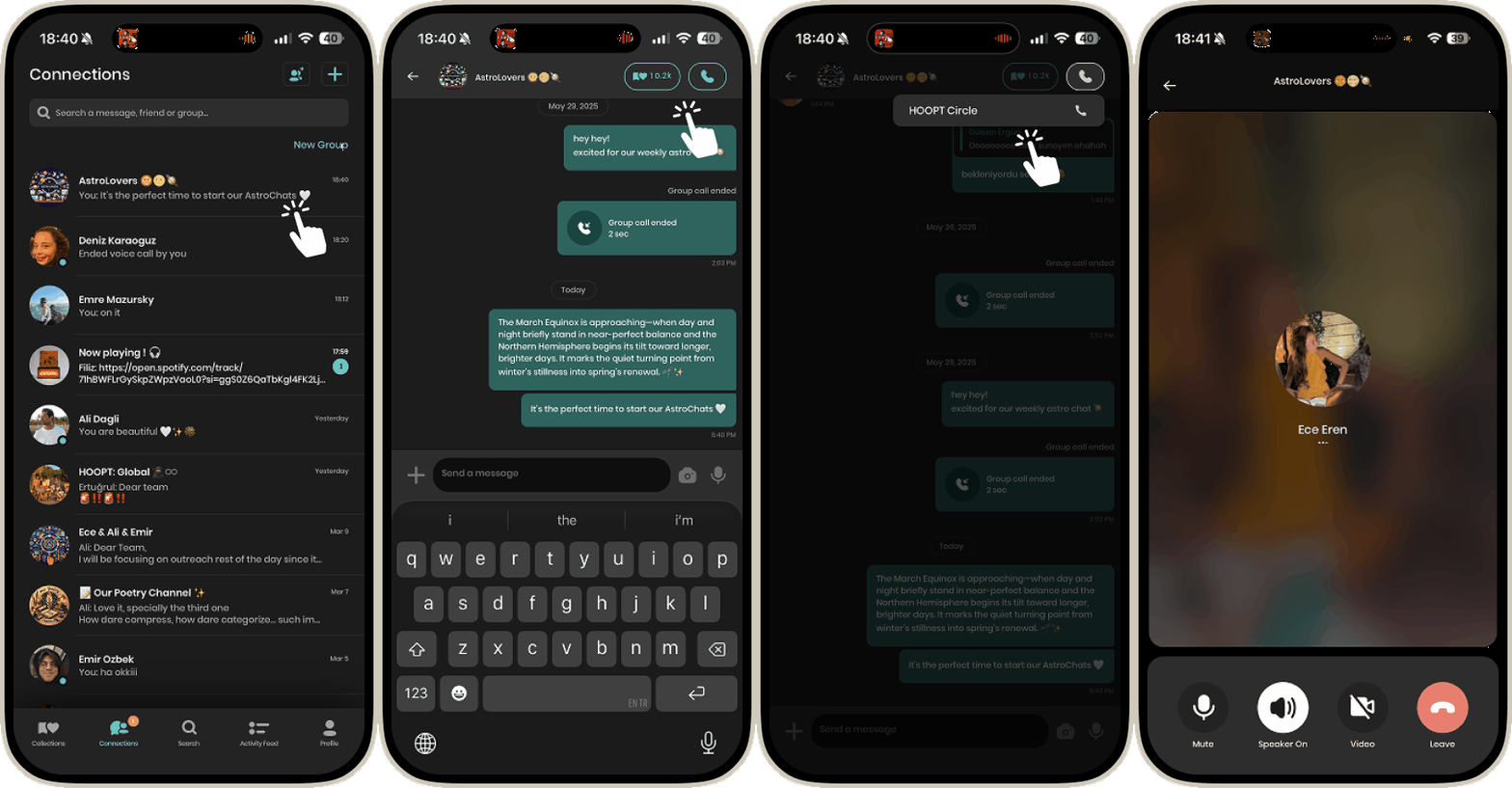
Go to the Connections tab and click on the community you’d like to place the call with.
2
Tap the phone icon in the top right.
3
Select HOOPT Circle.
4
5
6
7
8
9
10

Cool Tip
0
Another Cool Tip
0
